Wooden Boy's Adventure
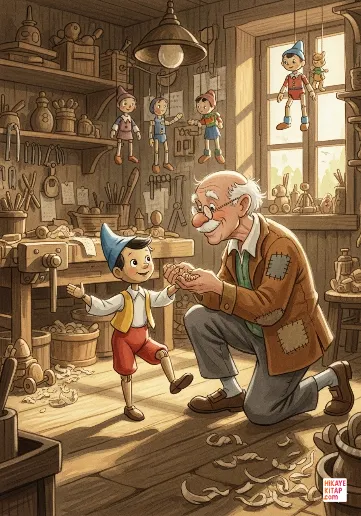
Master Kemal carves a puppet named Bora, and the Light Fairy brings him to life. Tricked by the Fox and the Cat, Bora...
15 pages · 4 min
Type into the box above to start searching
HikayeKitap gives teachers 475 free illustrated stories for ages 0–12, 474 of them narrated (1407 minutes of audio). Every book opens in the browser with no sign-up, works on a projector or student devices, and comes with a comprehension quiz, a vocabulary list and a printable PDF. Share any book straight to Google Classroom as an assignment.
Open any book and press the Classroom button in the share bar. Students land on page 1 and need no account.
Project the book and play the narration; the text stays on screen so the class can follow every word.
Use the Embed button on a book page to place the reader inside Google Sites, Moodle, Canvas or a class blog.
Every book page has a short comprehension quiz and a vocabulary list with child-friendly definitions.
Download the free PDF of a book for guided reading groups, homework or a classroom library shelf.
Use the reading log and the reading speed test to set goals and measure words per minute by grade.
Each book is tagged with a CEFR level, so you can match stories to your students.
Master Kemal carves a puppet named Bora, and the Light Fairy brings him to life. Tricked by the Fox and the Cat, Bora...
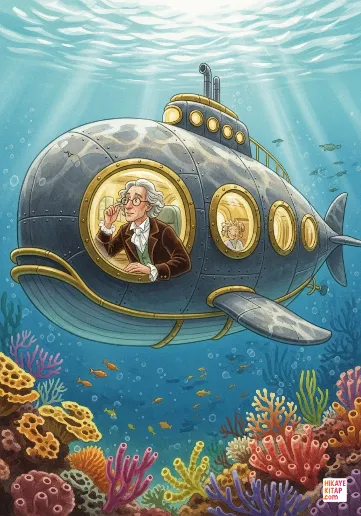
Hunting a mysterious monster that rams ships, Professor Deniz, his assistant Oguz Kaan, and harpooner Mert learn the ...
When Kaan overhears the principal worrying about rising electricity bills, he starts a club with Defne, Kerem and May...
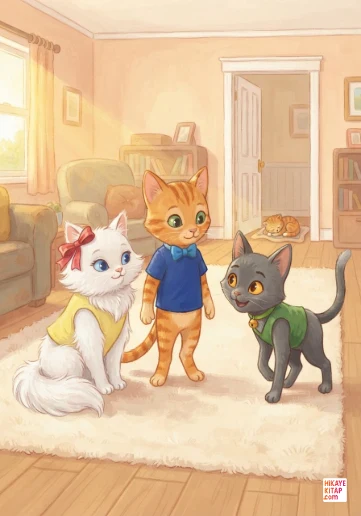
Whiskers, Pip and Barnaby are playing in the living room when Whiskers spots baby Luna asleep by the doorway. Instead...
Yes. All 475 books, the narration, quizzes, vocabulary lists and PDFs are free. Students can read without creating an account.
Open the book, then press the Google Classroom button in the share bar under the reader. Choose your class and post it as an assignment, material or announcement. The link opens the book on page 1.
Yes. The reader runs in any modern browser, including Chromebooks, iPads and interactive whiteboards, and there is nothing to install.
Books are written for ages 0-12 and tagged with CEFR levels from Pre-A1 to B1, which makes them useful both for native-speaker grades K-6 and for ESL/EFL classes.
Yes. Every book page has an Embed button that gives you an iframe code for Google Sites, Moodle, Canvas, Schoology or a class blog.
Most book pages include a short multiple-choice quiz and a vocabulary list with child-friendly definitions you can use for a quick check after reading.